
Field Workforce Management Software for Coordinating On-Site and Mobile Work
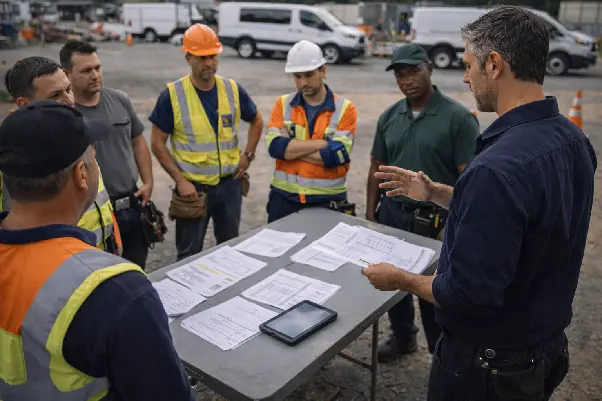
Field work introduces a different kind of operational complexity. Tasks happen outside the office, decisions are made on site, and teams rarely follow a single, predictable schedule. As soon as work moves into the field, coordination depends less on plans and more on how well execution is tracked and aligned in real time. This is where field workforce management software becomes essential rather than optional.
Many teams begin by coordinating mobile work with familiar office tools. Calls, chat messages, and shared documents are easy to set up and seem to work at first. But as soon as work spreads across locations, this approach starts to slip. Updates come in late or out of context, task status is hard to confirm, and managers no longer have a clear picture of what is happening on site. Mobile workforce management turns into a guessing game instead of a controlled process.
Field workforce management software addresses this gap by creating a structured way to coordinate on-site and mobile work. Instead of relying on fragmented updates, it brings field execution into a shared operational context. Tasks, progress, and outcomes are visible as work unfolds, not reconstructed afterward.
This approach is not about adding more communication channels. It is about giving organizations a way to manage field operations with the same level of clarity and control they expect inside the office. When mobile workforce management is handled as a system, coordination becomes more predictable, execution more reliable, and field work easier to manage at scale.
Why Do Organizations Need Field Workforce Management Software for On-Site Operations?
Work that happens on site behaves differently from office workflows. Tasks are executed away from supervisors, conditions change during the day, and decisions often need to be made on the spot. Without a dedicated system, control over field operations weakens quickly — not because teams are unmotivated, but because information arrives too late or in fragments.
When organizations rely on calls, messages, or manual updates, there is no single picture of what is happening in the field. Task statuses are reported after the fact, delays are noticed only when a problem escalates, and managers are forced to make decisions based on assumptions rather than current data. This is where both field workforce management software and field service workforce management become necessary, not optional.
Field operations require their own management layer. Unlike office work, on-site execution cannot depend on constant clarification or follow-up. Teams need clear assignments, managers need timely updates, and coordination has to work without everyone being in the same place. A structured approach to field workforce management creates that stability, allowing on-site work to stay organized even when conditions change throughout the day.
How Does Field Workforce Management Software Coordinate Field and Mobile Teams?
Coordination in field operations is often confused with communication. Messages can be delivered, calls can be answered, and updates can be shared — yet work still goes out of sync. The issue is not a lack of contact, but the absence of a shared execution logic. Without it, every team interprets priorities, status, and responsibility slightly differently.
Field force management software closes this gap by giving teams a shared reference point for field work. Assignments, updates, and outcomes are handled in one flow, so people are not forced to interpret instructions on their own. When tasks already carry clear ownership and sequence, office and field teams spend less time explaining decisions and more time moving work forward.
The same principle applies to mobile workforce management software. Field employees are not just receiving instructions — they are operating inside the same framework as dispatchers and managers. Task updates, changes, and outcomes stay connected to the original assignment, rather than being passed around as separate messages or notes.
When office and field teams work in one context, coordination becomes predictable. Managers see progress as it unfolds, field teams know where their work fits into the bigger picture, and decisions are based on shared information instead of parallel conversations. This is what turns coordination into a structured process rather than an ongoing effort to keep everyone aligned manually.
How Field Force Management Software Connects Office and Field Execution
In on-site operations, problems often appear at the handoff point between the office and the field. Work is planned centrally, but once tasks leave the office, visibility weakens. Field staff may adjust priorities on the go, while managers receive updates late or in an incomplete form. As a result, it becomes unclear whether execution still matches the original plan.
Field force management helps reduce this disconnect by keeping planning and execution tied together throughout the work cycle. Tasks do not exist as static instructions sent “downstream.” They stay linked to the same context from assignment through completion, so expectations remain clear on both sides.
A field force management system supports this connection by unifying how tasks are issued, carried out, and confirmed. Office teams define the scope and responsibility, field teams act within that framework, and results return to the same system without extra coordination steps. This continuity limits misunderstandings and makes execution easier to track without constant intervention.
How Mobile Workforce Management Apps Support Real-Time On-Site Work
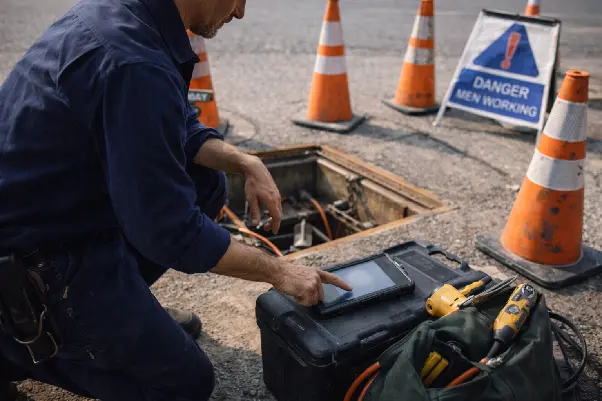
On-site work rarely follows a delayed rhythm. Conditions change during the day, tasks take longer or finish earlier than expected, and new issues appear without warning. In this environment, updates recorded hours later lose much of their value. What matters most is capturing what is happening while it is happening.
A mobile workforce management app supports this reality by allowing field staff to record progress, issues, and outcomes directly on site. Information is logged at the moment work is performed, not reconstructed afterward. This keeps task status aligned with actual conditions and reduces gaps between execution and reporting.
The role of a mobile workforce management application is not mobility for its own sake. Its real value lies in keeping data current. When updates reflect real-time activity, decisions are based on facts rather than assumptions. Office teams see accurate status, field teams avoid repeated explanations, and coordination improves because everyone works from the same, up-to-date picture.
How Does Field Workforce Management Software Support Technicians and Field Staff?
When technicians and field workers operate without a clear context, small issues quickly turn into execution problems. Tasks arrive fragmented, priorities shift without explanation, and responsibility becomes blurred. In these conditions, even experienced staff spend time clarifying what should be done instead of focusing on the work itself.
Field staff management software addresses this by giving each assignment a defined shape. Tasks are presented with scope, timing, and expected outcomes, so technicians understand not just what needs to be done, but why it matters and when it takes priority. This reduces back-and-forth communication and prevents work from being delayed due to missing information.
Clarity also changes how responsibility and priorities are handled in the field. With field worker management software, each task has a clear owner, visible progress, and a defined point of completion, so accountability is not discussed after the fact. At the same time, technicians see how tasks relate to one another in terms of urgency and importance. This helps them focus on the right work at the right moment, instead of reacting to whichever request arrived last.
How Field Technician Management Software Improves Task Ownership and Execution
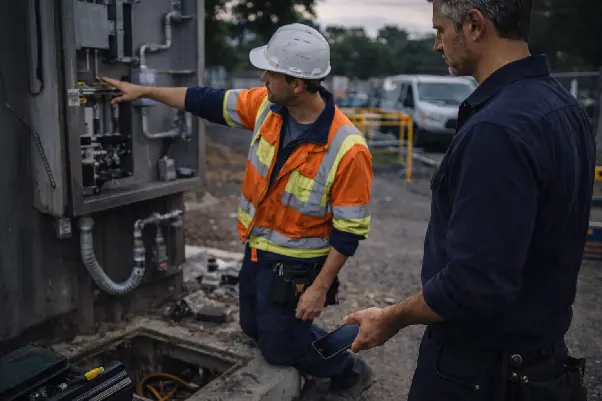
In field work, tasks often change shape between assignment and execution. Details are shortened, priorities shift, and technicians receive only part of the original context. As a result, responsibility becomes unclear — not because people avoid it, but because field technician management relies too much on assumptions instead of fixed ownership.
Technician management software helps avoid this drift by anchoring each task to one accountable person from the start. The technician sees not just that a task exists, but what exactly is expected, when it should be completed, and how completion will be confirmed. This reduces back-and-forth questions and removes the common “I thought someone else handled it” situations.
Execution also improves when tasks move through a predictable flow. Service technician software helps reduce losses that usually happen during handoffs — incomplete information, missed updates, or unclear status. Technicians know what they are responsible for, managers can see progress without constant check-ins, and completed work is confirmed based on results rather than verbal updates.
How Does Field Service Workforce Management Improve Visibility Across Field Operations?
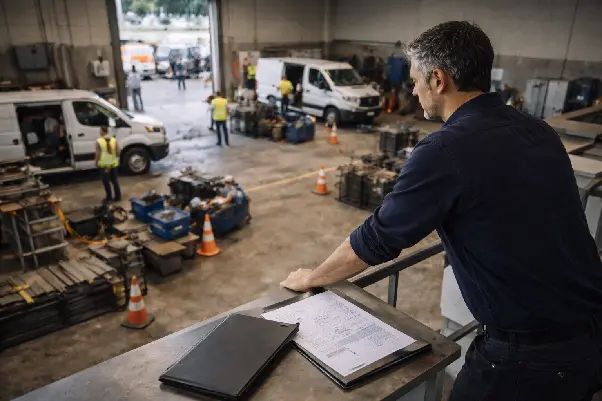
Visibility in field operations usually disappears gradually. Tasks are assigned, work starts, but updates arrive late or in fragments. By the time information reaches managers, the situation on site has already changed. Decisions are made based on partial signals rather than a clear picture of what is actually happening.
Field service workforce management addresses this by tying visibility directly to execution. Status updates are not separate actions — they emerge naturally as work progresses. When technicians complete steps, pause work, or encounter issues, those moments are reflected in the system without extra explanations or parallel reporting. Visibility comes from movement, not from summaries.
This kind of transparency is different from control. Managers are not watching individual actions minute by minute. Instead, they see where work stands, where delays form, and which tasks are moving slower than expected. Bottlenecks become noticeable early, while there is still time to react.
Field service technician software supports this approach by keeping updates close to the work itself. When information is recorded at the point of execution, field operations stop feeling opaque. Managers no longer chase confirmations — they read the situation directly from how tasks advance across the field.
How Do Field Workforce Management Systems Reduce Delays and Missed On-Site Tasks?
Delays in field work rarely come from a single failure. They build up through small gaps — a task that was updated late, a change that was shared verbally, or an instruction that never reached the person on site. When work depends on manual updates and informal handovers, even simple operations start to drift. Tasks slip out of view, priorities shift without record, and teams react instead of acting on time.
Field workforce management systems reduce these gaps by removing the need for separate coordination steps. Work is not tracked after it happens — it is managed as it unfolds. When assignments change, progress updates, or conditions on site shift, those changes are captured in the same place where work is organized. This limits the pauses caused by waiting for confirmations or chasing missing information.
Another source of delay is task loss. In field environments, tasks often move between people, locations, or time slots. Without a shared structure, responsibility becomes unclear, and follow-up depends on memory. Field team management software keeps tasks visible until they are completed or reassigned, so nothing quietly drops out of the workflow.
By reducing reliance on manual reporting and personal reminders, field workforce management systems shorten the distance between planning and execution. Fewer human pauses mean fewer missed tasks — not because teams work faster, but because work stays connected to the system that manages it.
How Field Workforce Management Software Works Across Different Field Service Scenarios
Field operations do not follow a single, predictable pattern. Some work is scheduled in advance, other tasks appear unexpectedly, and teams often operate across locations with different availability. Mobile workforce software is built to handle this variability without forcing every situation into the same workflow.
For planned site visits, the main risk is not complexity but assumptions. Tasks may look clear on paper, yet small details are often clarified only after someone is already on site. Mobile workforce software reduces this friction by keeping task scope, timing, and responsibility visible from the start, so visits are completed without additional coordination loops.
Emergency work behaves differently. Priorities change fast, and decisions are often made under time pressure. Mobile workforce software solutions help absorb these changes by allowing urgent tasks to enter active schedules while preserving a clear record of who took ownership and when the work shifted.
Distributed teams and temporary contractors introduce another layer of uncertainty. People may not share background context or long-term routines. A shared execution environment becomes the stabilizing factor. Mobile workforce software solutions provide a common point of reference, making it easier to align short-term participants with ongoing field operations without rebuilding processes each time.
How Can Field Workforce Management Software Integrate With Existing Business Systems?
Field work does not exist in isolation. Schedules, asset data, customer records, and reports are usually managed outside the field itself. When on-site activity is disconnected from these systems, teams fall back on manual updates and duplicate entries, which slows execution and weakens confidence in the data.
A mobile workforce management platform helps avoid this by fitting into existing processes instead of sitting alongside them. Mobile workforce management tools allow field updates to flow into the same operational context used by office teams, so planning, reporting, and follow-up stay aligned with what is actually happening on site.
How to Choose Field Workforce Management Software for Field and Mobile Teams
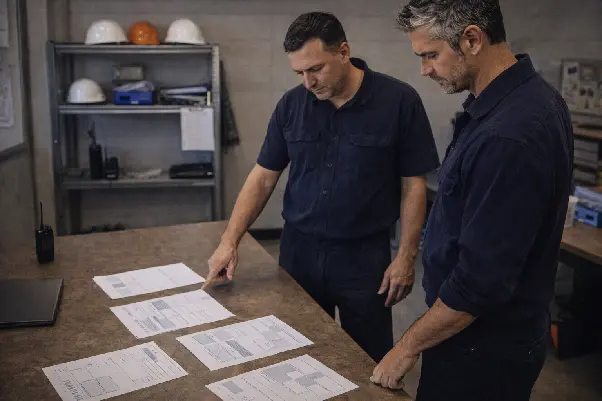
Choosing field workforce management software starts with how well it supports control over real on-site execution. For field and mobile teams, the key question is not how many features are available, but whether the system helps you understand what is happening outside the office at any moment. Many mobile workforce management software vendors focus on surface-level functionality, while the underlying coordination logic remains fragmented.
A common mistake is selecting a mobile app that captures updates but is not connected to a broader system. Another is relying on dispatch tools that assign work without supporting execution, confirmation, or follow-up. In both cases, tasks move, but accountability does not. Over time, this leads to missed steps, delayed responses, and manual intervention to fill the gaps.
Scalability matters as well. As field teams grow, informal coordination and point solutions stop working. Field workforce management software should support expansion without forcing teams to rebuild processes or introduce parallel tools. The goal is a system that keeps field operations manageable as complexity increases, not one that needs replacement once growth begins.
Take a moment to assess how your field work is coordinated today — where visibility drops, where updates arrive late, and where delays most often occur.
How Planado Supports Field and Mobile Workforce Operations
Planado is designed as field workforce management software that connects office coordination with what actually happens on site. Planning and execution exist in the same system, so field work is not managed as a separate layer that needs constant clarification. Tasks created in the office move into execution without being reinterpreted or rewritten for the field.
In daily use, mobile workforce management in Planado is built around continuity. Tasks, assigned performers, and current statuses stay linked as work progresses. When something changes in the field — timing, scope, or outcome — that change becomes part of the same workflow instead of an external update that must be reconciled later. This helps managers understand the real state of operations without chasing explanations.
What matters here is not a list of capabilities, but how the system maintains control as work moves between planning and execution. Planado supports field and mobile operations by keeping responsibility, progress, and context visible in one place. Office teams and field staff work within a shared structure, which makes coordination more predictable and reduces gaps that usually appear between intention and on-site reality.
Get Started With Planado Field Workforce Management Software
Planado is built as field workforce management software for organizations that coordinate real on-site work, not abstract processes. It supports situations where teams operate across locations, tasks shift during execution, and updates need to reflect what is happening in the field without delay or manual reconciliation. The system is designed to work in conditions where phone calls, chats, and spreadsheets no longer scale.
As a mobile workforce management platform, Planado helps keep planning, execution, and follow-up connected as operations grow more complex. Field teams, technicians, and mobile staff work within the same structure as office teams, so changes in the field do not create gaps in visibility or control. Tasks, performers, and statuses remain linked, even as volumes increase or workflows become less predictable.
Planado supports growth without relying on manual workarounds. Instead of adding parallel tools or informal fixes, the platform keeps coordination consistent as teams expand, service areas widen, or execution models change. Management stays focused on overseeing operations, not on patching communication gaps.
Explore Planado as a platform designed to manage field and mobile workforce operations in one coordinated system, built for real-world execution rather than office-only workflows.
FAQ
How does field force management software help coordinate distributed field teams?
It provides a shared structure for assigning work, tracking progress, and confirming completion across locations. Instead of relying on calls or follow-ups, teams work from the same task context, which reduces confusion when priorities shift. Review how your field work is currently coordinated to see where structure could replace manual effort.
Is field workforce management software suitable for organizations with mobile and on-site employees?
Yes. It is designed for teams that split time between locations, sites, and travel, where work cannot be managed from a single place. Mobile and on-site employees stay aligned with office teams through the same task and status logic. Consider whether your current setup gives both sides a consistent view of ongoing work.
How do mobile workforce management apps support technicians working in the field?
They allow technicians to receive tasks, update status, and record outcomes directly where the work happens. This removes delays caused by end-of-day reporting or fragmented updates. If field data often arrives late, a mobile-first approach can make execution more predictable.
Can field service workforce management software work across different service industries?
Yes. The system focuses on how work is assigned, executed, and confirmed, rather than on industry-specific workflows. This makes it suitable for planned visits, urgent jobs, and mixed service models. Look at whether your operations share common execution challenges, regardless of industry.
How does field team management software improve communication between office and field staff?
It replaces scattered messages with task-based updates tied to actual work. Office teams see progress as it changes, and field staff work without repeated clarification. Assess how much of your current communication is spent explaining status instead of acting on it.
What role does field technician management software play in improving task execution?
It strengthens ownership by clearly linking tasks to specific technicians and outcomes. When responsibility is explicit, fewer steps are lost during handoffs. Review where execution breaks down today to identify gaps in ownership.
How does Planado support field workforce management for mobile and on-site teams?
Planado connects planning, field execution, and status updates within one shared system. Tasks, performers, and progress stay aligned as work moves between office and field. Explore Planado to see how a unified approach can reduce delays and improve coordination across distributed teams.
Industries: Garage Door Service · Fire Protection · Maid Service · Locksmith · Roofing
Other features: Workforce Planning & Optimization · Workforce Management · Field Service App
Read also: Mobile Workforce Management: A Complete Guide for 2026 · Field Service KPIs and Mobile Workforce Monitoring Guide