
Job Status Audit Trail: Who Changed It, When, and Why
A job was marked complete at 14:20. The client called at 16:00 to say the technician left the site at 13:45 without finishing the work. The dispatcher checks the system – the status was changed, but who changed job status and why it isn't recorded anywhere. That conversation ends without resolution. A job status audit trail prevents that scenario by attaching a readable record to every status change – user, timestamp, transition, and reason. Without it, job status audit trail data exists only in people's memories, which means it disappears exactly when it's needed.
What an Audit Trail Means for Field Service
An audit log field service teams can actually use has four elements: who made the change, when it happened, what the status changed from, what it changed to, and whether a reason was attached. That's the complete record – not a technical log, but a readable history tied to the job.
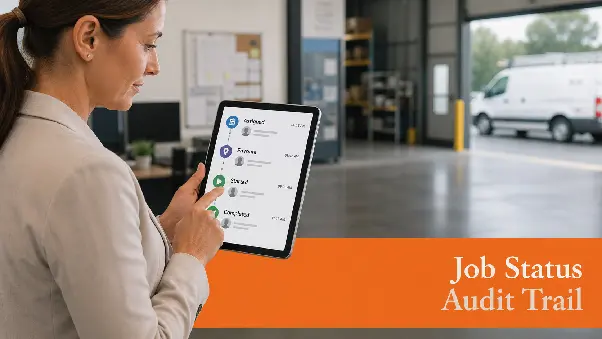
In Planado, the job detail view shows the full lifecycle of every status: when the job was accepted, when the technician went en route, when work started, when it finished, and which user recorded each transition. The job status audit trail is visible from the web interface without any export or manual retrieval.
Why "Who Changed It" Is Not Enough
A username in the log confirms accountability but not context. Who changed job status tells you which dispatcher or technician made the update – it doesn't tell you whether the change was made before or after the technician reached the site, or whether the previous status was overwritten by mistake.
A concrete example: a job was marked cancelled at 11:15. Was the technician already on-site when that happened, or was it cancelled before dispatch? The timestamp and previous status answer that question. The username alone doesn't – and in a dispute, the difference between those two scenarios determines who is responsible.
How Status Change History Works in Planado
Planado logs every status change automatically. No configuration needed – field service status history builds itself as dispatchers and technicians work through their day. Every transition is recorded in the job history log and visible from the job detail view in the web interface.
Each entry in the log records:
- name of the user who made the change;
- timestamp of the change;
- previous status;
- new status;
- reason or comment if provided.
Track status changes across any job without pulling reports or asking anyone – the full history is attached to the job record and accessible from the office dashboard.
Planado logs every status change automatically – user, timestamp, and transition recorded on every job. See how the audit history works in practice.
Adding a Reason to a Status Change
When a status changes in Planado, users can attach a reason or comment at the moment of the update. This is most useful for specific transitions – a job cancelled before arrival, postponed at the client's request, or closed with an unsuccessful resolution.
Track status changes with context attached: a cancellation logged as "client not home" tells a different story than one with no reason. Field service accountability improves when the reason is captured at the moment of change – a team review the following week can work from the record rather than from conflicting accounts of what happened.
Who Can See the Audit History

Managers and dispatchers access the full change history for any job from the web interface. Field workers see their own job status history on the mobile app. The audit log field service visibility is role-based – office staff see history across all jobs and all users, while technicians see their own records.
Field service accountability operates without extra administrative work. The log exists automatically from the first status change – no one maintains it, no one exports it. When a dispute arises or a pattern needs investigating, the history is already there.
If status visibility is a recurring problem for your field team, Planado is worth exploring – full job history log built into the workflow, no setup required.
FAQs
Does Planado automatically log every status change?
Yes – every status transition is recorded automatically as part of the job history log. No manual logging or configuration is required; the record builds itself as jobs progress through the workflow.
Can I see the reason a job status was changed?
Users can attach a reason or comment when changing a status. For unsuccessful job resolutions, Planado prompts for a reason at the point of closure – stored in the field service status history alongside the transition record.
Who has access to the job change history?
Managers and dispatchers see the full audit log field service history across all jobs from the web interface. Field workers access their own job history through the mobile app.
How far back does the status history go?
The field service status history is stored with the job record from the moment the job is created. All transitions remain accessible in the job detail view for as long as the record exists in the system.
