

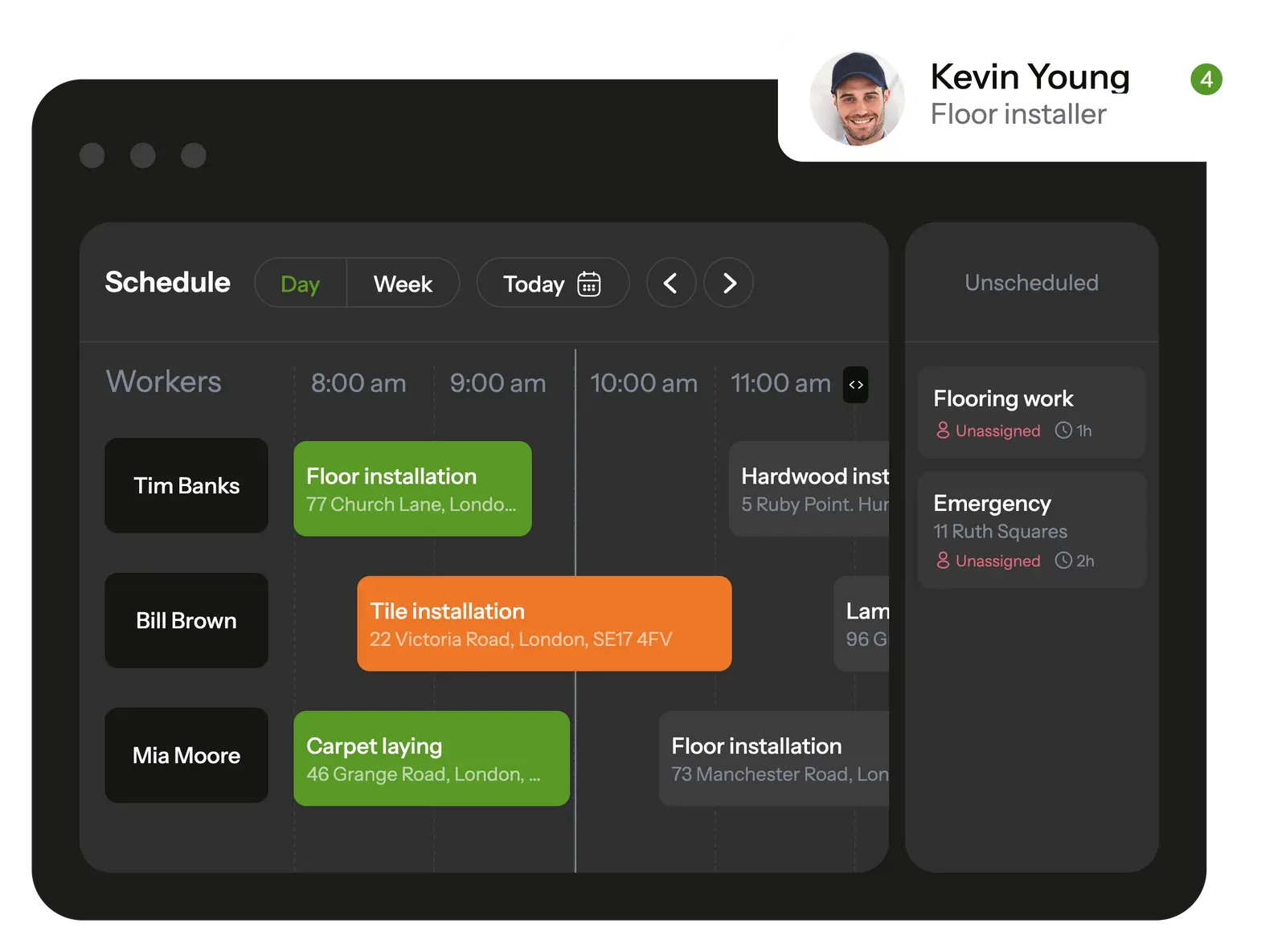
Planado simplifies task management and allows to control handyman service schedule in a few clicks
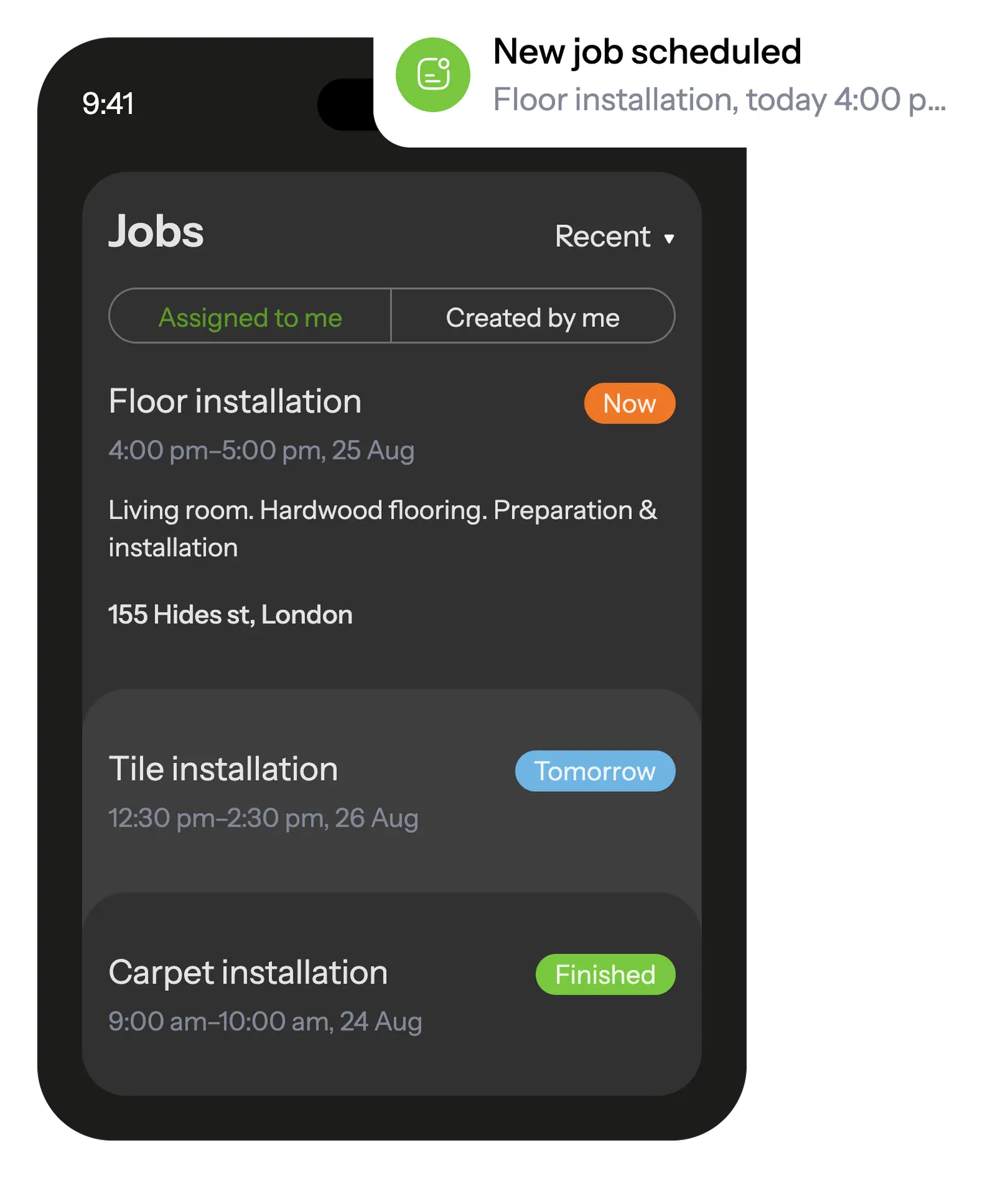
In the mobile app, your employees see all scheduled tasks and receive notifications about new assignments.
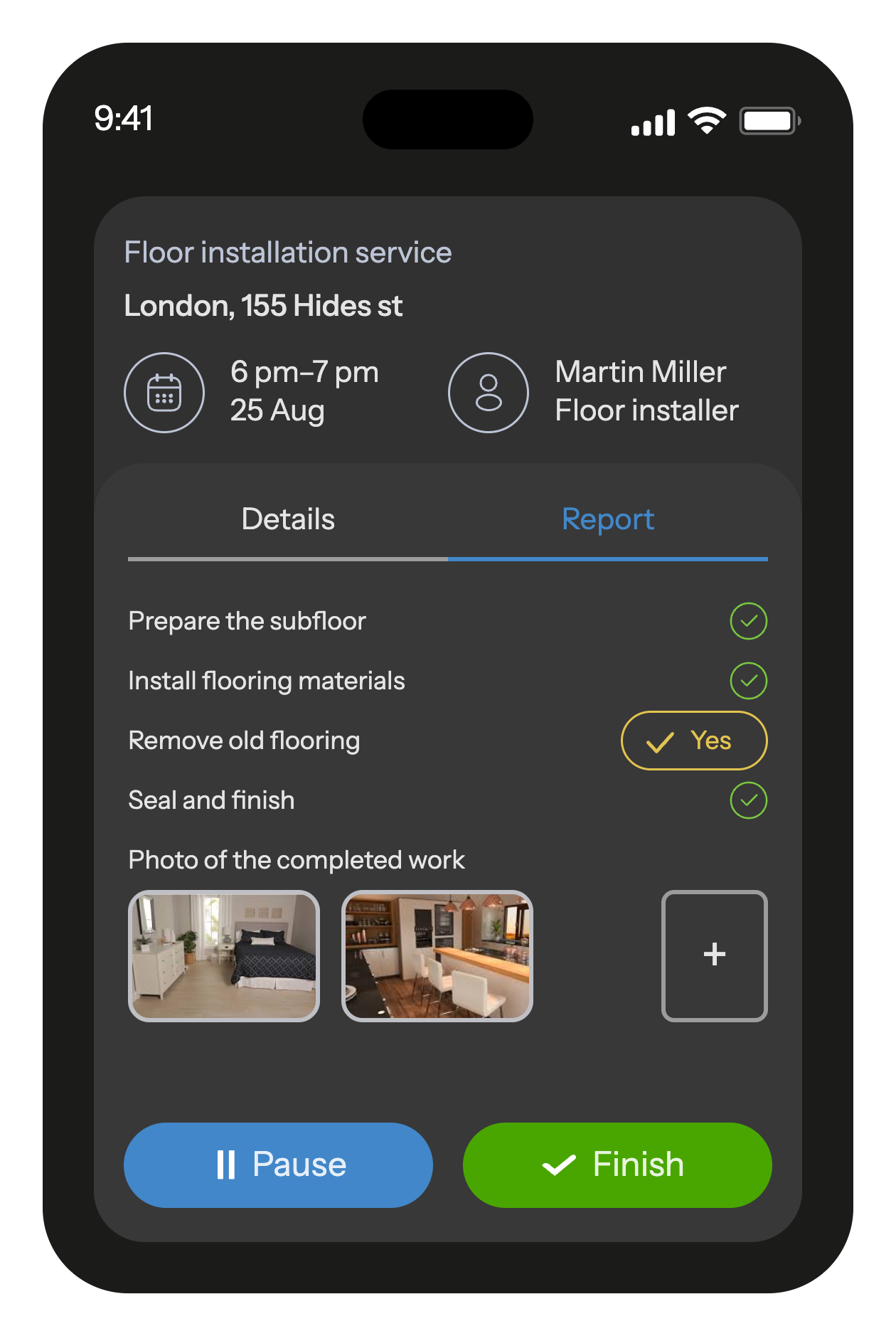
The built-in job checklists ensure that workers won't overlook any tasks on their to-do list.
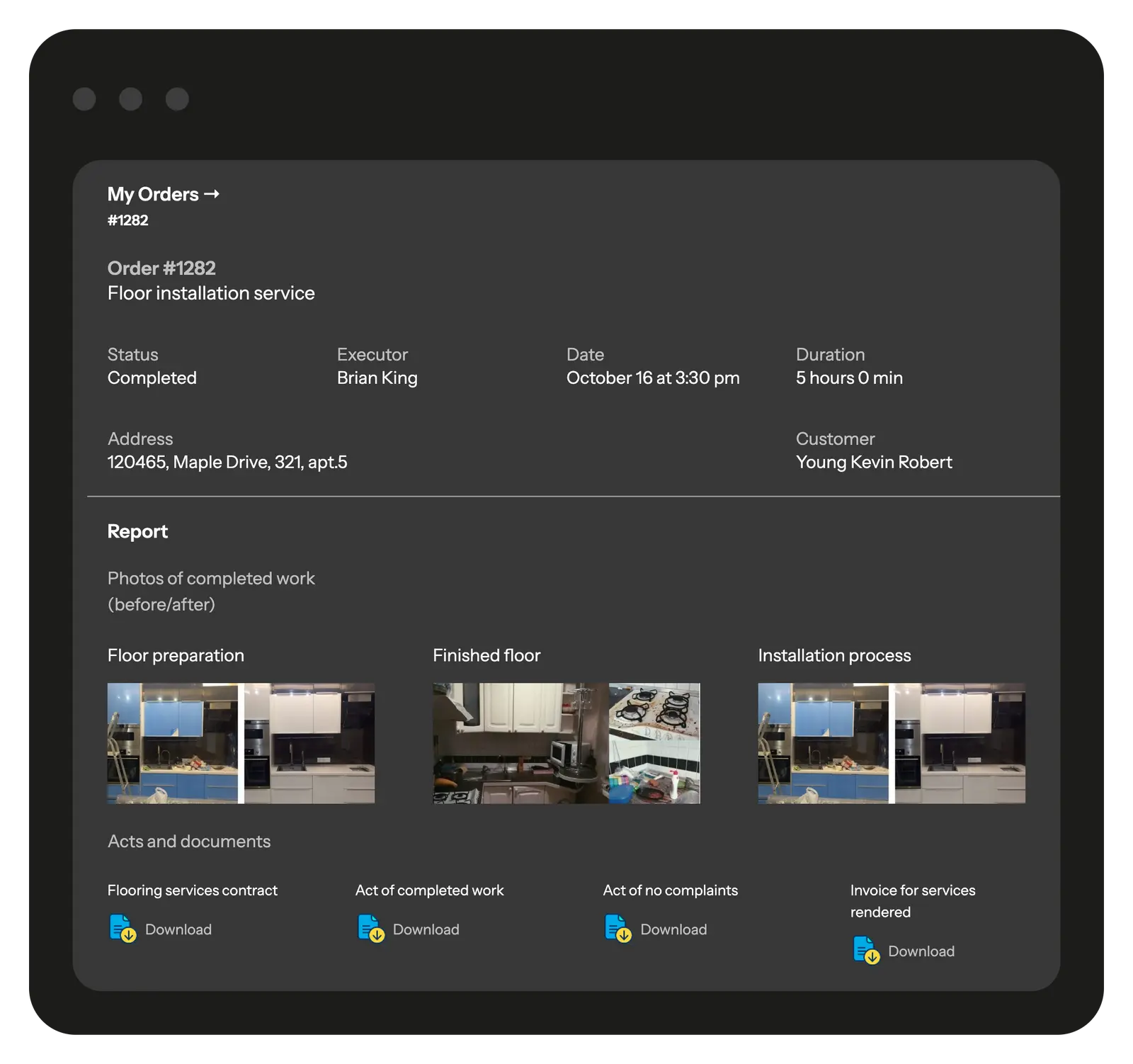
When a task is completed, the worker fills out a customizable report with photos and other fields that is automatically saved in the database and transmitted to the office.

When worker starts the job, he will receive a checklist with the list of actions so he doesn't forget anything to do.
After completion, he will fill out a customizable report with photo, text and other various field types.
All reports with photos and other fields are saved in a database and can be useful, for example, in case of a warranty visit
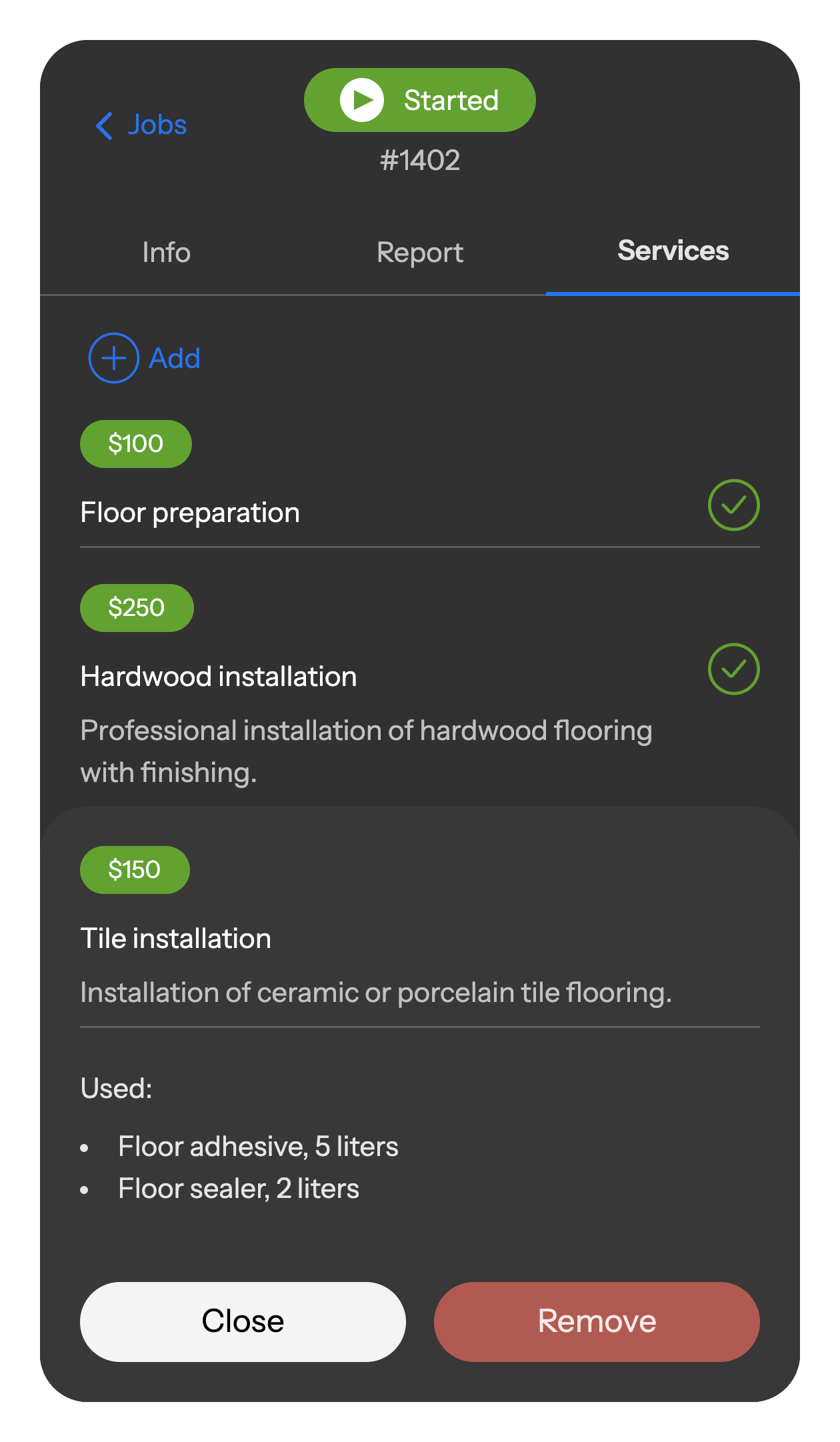
Workers record all used materials, consumables, and services directly in the mobile app. Everything is automatically logged, added to the report, and sent to the office — ensuring accurate records and full accountability.
Share a branded portal with clients, giving them full transparency into ongoing and completed projects, work stages, photo reports, and documents.
Through the portal, clients can track project status, view schedules, review reports, and leave feedback on service quality. You decide which projects and details are visible.
Dozens of flooring companies around the world already use Planado to organize their business and increase profits.










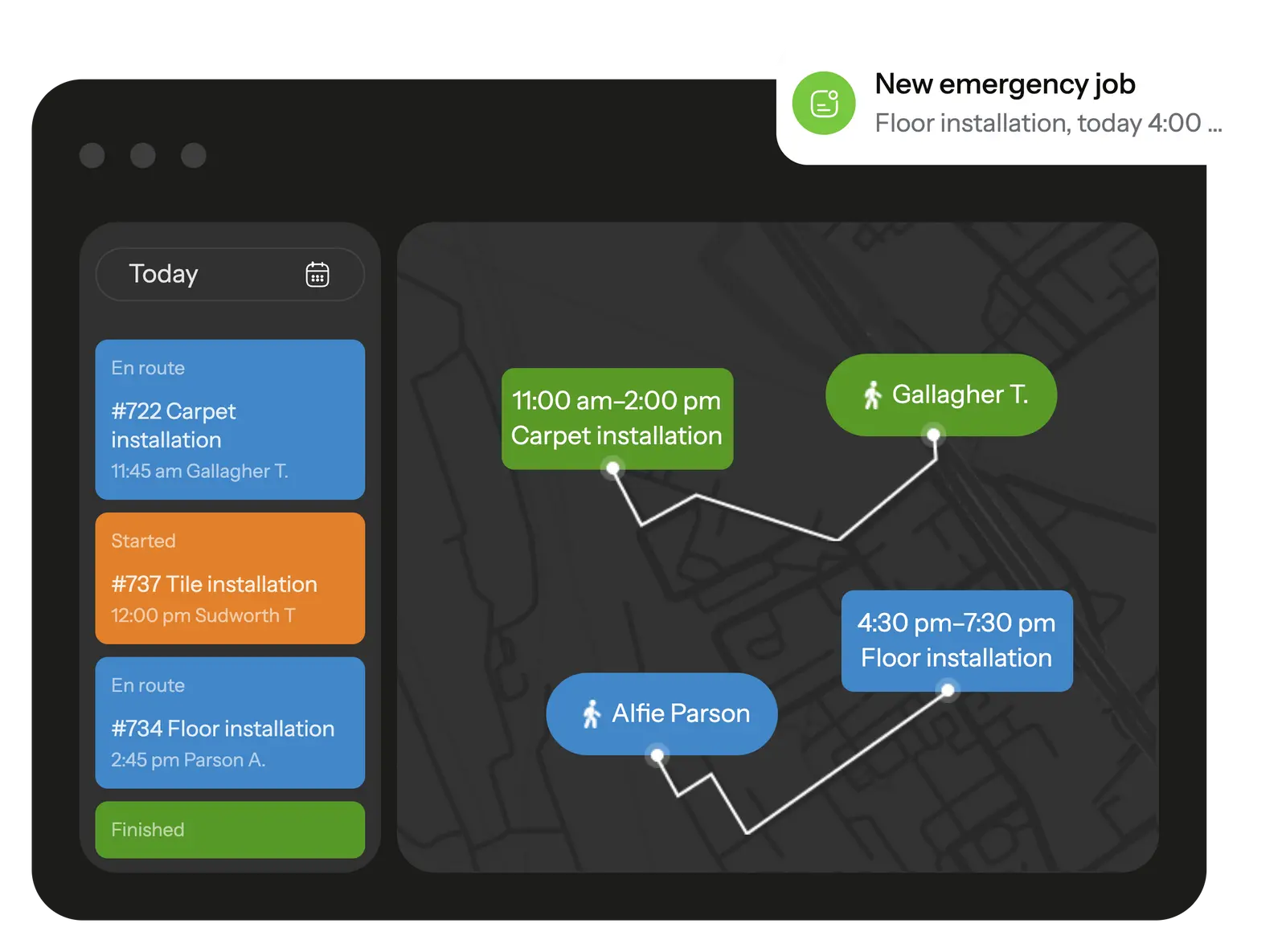
Track your employees' trip during working hours, schedule jobs to your workers based on their location right on the map. Task and movement history is recorded and available at any time
GPS location tracking helps calculate mileage and assign the closest worker to an urgent job.
Planado fits the realities of flooring jobs:
Set custom stages for site inspection, measurements, subfloor prep, material delivery, installation, finishing, and warranty follow-ups.
Create checklists for moisture testing, leveling, adhesives, underlayment, transitions, and final inspection; require photos before closing a job.
Record room-by-room areas, material type (LVP, laminate, hardwood, tile), batch/lot numbers, thresholds, and special instructions.
Automate SMS for arrival windows, schedule changes, and job completion to reduce inbound calls.


 Tasks management SchedulingEmployee GPS tracking Employee's mobile appChecklists & reportsTeams & work shiftsCustomer notifications Create jobs in mobile appCRM integrationMileage trackingDocuments signing Recurring jobsProduct catalog and pick listAPI & Webhooks
Yes. In Planado you can create job templates for hardwood, laminate, vinyl/LVT, carpet, and tile work — each with its own schedule, checklist, and assigned crew. This makes it easy to manage residential installs, commercial rollouts, and repair calls in one system.
Absolutely. You can schedule reports with photos, comments, and job statuses. Reports can be exported to Excel or PDF, or shared directly with the client.
Yes. Planado supports bulk upload of crews and sites, task distribution across multiple teams, and workload tracking per employee. It works for both small contractors and large multi-location deployments.
Yes. Permissions are customizable. Installers only see their assigned jobs, supervisors see all sites they oversee, and managers have full visibility and control.
The mobile app is intuitive. Teams typically get comfortable within 1–2 shifts. We also provide onboarding materials and manager training.
Use step-by-step checklists (e.g., subfloor prep, moisture checks, acclimation, installation steps, transitions), photo evidence, and supervisor audits in the app. This reduces missed steps and costly callbacks.
Yes. Crews can complete tasks without internet; data syncs automatically when the connection returns.
Planado cuts costs by reducing rework, preventing missed steps, and minimizing admin time spent chasing updates. When job progress and QA evidence are captured in the field, supervisors spend less time firefighting and more time delivering work.
Flooring work rarely goes as neatly as the schedule suggests. One customer changes the material choice at the last minute, another asks for a measurement redo, and installers end up waiting because the office is still sorting out details. These days it becomes clearer why many teams switch to flooring software instead of relying on scattered messages and memory.
With flooring business software, the basics stop slipping through the cracks. Jobs line up in one place, measurements stay attached to the right project, and installers don’t have to call the office just to check what was agreed on. Using flooring takeoff software also removes a common source of mistakes: rough estimates made in a hurry. When takeoffs are stored and updated properly, prices hold steady and timelines become easier to defend.
Planado fits into this routine without trying to change how teams work – it simply keeps the moving parts visible so the day doesn’t fall apart over missing notes or mixed-up tasks.
Flooring companies deal with shifting schedules, material questions, and site updates that rarely arrive on time. Flooring business software keeps these moving parts in one place so the team doesn’t lose track of who’s going where and what each project needs today. With flooring software, installers see their tasks, timing, and notes before leaving the office, while managers follow job progress without relying on constant calls. The same system helps coordinate crews, record photos, and track which materials were used on a particular floor section. For software for flooring companies, the value is simple: less confusion and more steady, predictable workdays.
Planado helps teams keep daily tasks visible without digging through calls or scattered notes, making routine coordination feel lighter.
Most teams want the same thing on a busy flooring project: clear tasks, quick updates, and proof of what was done on site. A good flooring business management software setup gives installers a simple way to check their instructions, send back photos, and note anything unusual before they leave the property. Templates help standardize repeat jobs, while time and location checks keep the workflow predictable when several crews move between addresses. With this structure in place, the team can focus on laying floors rather than sorting out missing information.
Many flooring teams lose time not because the work itself is slow, but because the day unravels around scheduling gaps – installers show up too early, arrive late from another site, or wait for details that never made it through. Flooring scheduling software helps steady that routine by giving the office a clearer picture of who is free, who is running behind, and which projects need attention first. Without it, crews overlap, customers get frustrated, and managers spend hours sorting out mix-ups that could have been avoided.
With flooring contractor software in place, the schedule becomes easier to trust: changes appear instantly, tasks stop disappearing, and the team moves between sites with fewer surprises. Planado supports this by keeping assignments, progress updates, and timing cues in one place, so flooring companies can keep the day moving instead of recovering from delays.
When the office knows exactly which installer is free and where they’re heading next, jobs get assigned in minutes, not after a string of calls. Software for flooring contractor teams sends updates straight to the installer’s phone, keeping instructions clear even when plans shift midday. And because software for flooring companies syncs those updates for everyone, crews waste less time waiting for clarifications and more time working through the list.
If your schedule often feels scattered – overlapping crews, missing updates, or jobs that slip through – it may be time to rethink how tasks move through your team. A modern flooring business management software can bring order back into the routine and give your installers a smoother workday. Planado offers a simple way to test that structure without disrupting your current workflow.
Anyone who has ever measured a room in a hurry knows how easy it is to miss a corner, round up too much, or forget why a note was scribbled in the margin. Those little slips often show up later as wrong material counts or awkward price corrections. Flooring takeoff software helps avoid that by giving installers a place to record numbers, angles, and photos while they’re still standing on the site. The next person who opens the job sees the same details – no guessing what the estimator “probably meant.” This small shift makes estimates steadier and easier to defend with clients. And because Planado stores takeoff notes alongside the project timeline, teams can revisit them before ordering materials, reducing last-minute fixes and costly rework.
Many flooring teams keep bits of project info scattered – a measurement in one chat, a photo in another, and a note about materials sitting in someone’s notebook. A flooring CRM pulls those pieces together, so when a client asks about a past visit, you can actually see what was done instead of guessing. It also helps avoid small mix-ups that happen on longer jobs, like using the wrong batch of material or missing a promised update.
For teams juggling multiple sites, this kind of visibility stops small issues from snowballing. And since flooring CRM software ties updates to real job progress, customers stay informed rather than left waiting for a callback. Planado fits neatly into this workflow by keeping project notes, site history, and communication threads in one place.
Long flooring jobs rarely move in a straight line. A flooring CRM software tool helps you keep track of leads, follow-ups, and every stage of the project – from the first measurement to material selection, installation, and the final walkthrough. It also keeps repeat clients close by storing what they liked before and what issues came up last time. With that context, the next job feels less like starting from scratch and more like continuing a well-documented plan.
Clear task lists make a big difference for crews working room by room or across several sites in a day. With flooring company software, installers open the job and immediately see what needs doing – measurements, prep work, materials to check, and the order the tasks should follow. On-site notes and quick photos document progress without long calls back to the office. These flooring field features help the office cut down on double-checking and guesswork, which means fewer errors and fewer return visits. Planado supports this flow by giving teams one place to track tasks, confirm steps, and pass updates between the field and the office without slowing the day down.
Planado gives flooring companies a clean, practical way to run their daily operations without juggling spreadsheets, message threads, and last-minute calls. You can set up tasks, build templates for recurring install types, manage takeoffs, and collect photo reports – all inside one system that doesn’t require a long onboarding. The mobile app keeps installers in sync with the office, and teams of any size can adjust workflows to match how they already work.
Whether you run a small flooring crew or manage several installation teams, Planado adapts quickly. Job stages, materials, approvals, and client communication stay organized without pushing managers into extra admin work. Most companies start seeing fewer delays and fewer rework cases once everything lands in a single, predictable process.
If you want your projects to move faster and with fewer surprises, Planado is built to help. Start your free trial and get a system configured to your flooring workflows from day one – a setup that saves time, reduces errors, and brings clarity to every installation.
Usually it’s the basics you reach for every day: the schedule, the job notes, and a place to keep photos without hunting through chats. If the software handles those cleanly, the rest of the workflow becomes easier. Everything else is a bonus.
It cuts the back-and-forth. Installers simply see where to go next and what changed since morning. Less guessing means fewer late starts.
It helps you avoid bad measurements – the kind you only notice when materials come up short. Digital takeoffs hold the notes and photos together, so pricing feels less like guesswork. Many teams start using it after one expensive mistake.
Yes, mostly because it remembers what people tend to forget: earlier measurements, old quotes, material choices. When a client returns weeks later, you can pick up the thread instantly. It keeps awkward “remind me what we discussed?” moments to a minimum.
It won’t replace a warehouse manager, but it keeps track of what each job needs. That alone stops a lot of last-minute runs for missing boxes. It also shows when it’s time to reorder.
Many do, but the quality varies. Syncing invoices and client details saves time only if the setup is clean, so it’s worth testing before committing. Most teams figure out quickly which integrations they actually use.
Yes, sometimes even more than for big ones. When two or three people handle everything, losing track of one job can derail the whole week. Software keeps the small stuff from slipping through.